


Fast previews for image folders on external drives and NAS
Track a folder in Lightbox and a hidden folder called .thumbnails appears beside your images. It holds what Lightbox needs to show that folder quickly the next time, wherever the folder lives.
Why previews matter on slow drives
A wall of pictures needs a small preview of every image, and making one means reading the whole file. On an external disk or a NAS, reading thousands of large files takes a while, so every viewer saves its previews somewhere. Lightbox saves them in the folder they belong to, not in one store on your Mac.
What is inside .thumbnails
- One JPEG preview per image, at most 768 pixels on its long side.
index.json, which lists each image by file name, size and modification time. It holds no paths, so it stays valid when the folder moves.folder.json, a random ID that lets Lightbox recognise the folder after a rename or move.stars.json, the images you starred in that folder, once you star one.
What that means day to day
| When you… | Lightbox… |
|---|---|
| open a folder again | shows its saved previews at once, then checks for new, changed or removed images |
| rename or move it in Finder | follows it, previews and stars included |
| move it to another drive | finds its previews there after you point to it with Locate… |
| track it from another Mac | finds the previews and stars already in the folder |
| browse a folder it can’t write to | still shows it, making previews from the originals on each visit |
What it costs
Disk space on the drive that holds your images, and Lightbox needs permission to write to the folder to save its previews. Backup and sync tools see the hidden folder like any other files. Making previews only reads your images: Lightbox changes your files only when you pick Delete, Delete Folder, Split or Rename Folder. Each of them asks first, except Split when you turn that question off.
Keeping it tidy
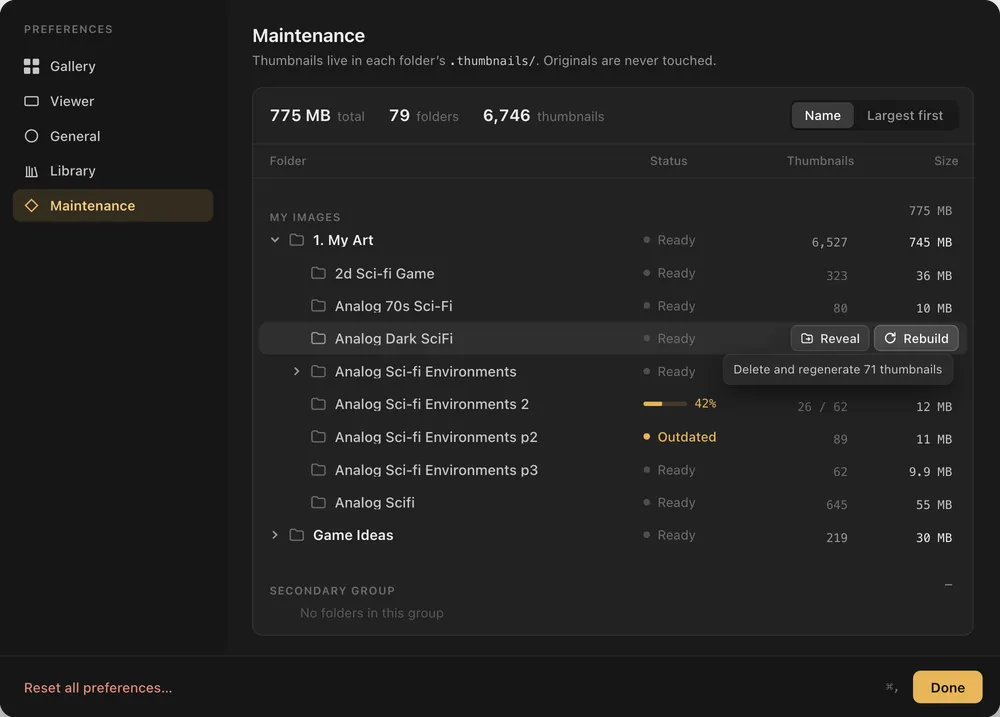
Settings › Maintenance lists every folder with its number of previews and their size, and Reveal shows a folder’s .thumbnails in Finder. Rebuild Thumbnails… in a folder’s sidebar menu makes its previews again and keeps your stars. Stop Tracking… removes the previews while “Remove Lightbox’s thumbnail cache” is ticked, as it is by default; untick it to keep them, so tracking the folder again later is instant.