


Everything Lightbox does
A viewer, not an editor and not a library. It shows your folders well and stays out of the way.
Your library
Track a folder and it appears in the sidebar with its subfolders under it. Collect folders from anywhere into groups you name. A folder with subfolders opens as a row of covers, one per subfolder.
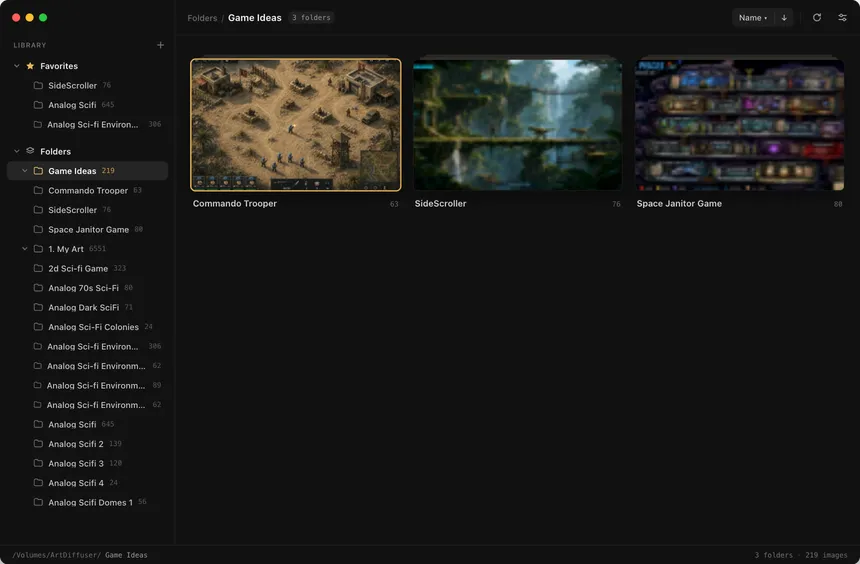
- ⌘Otrack a folder
- ⇧⌘Nnew group
- ⌥⌘Rreveal in Finder
- ⌥⌘Ccopy path
The gallery
Images sit in dense rows that fill the window, each one complete and uncropped. Drag the slider to resize them, show or hide filenames, and sort by name, date or size.
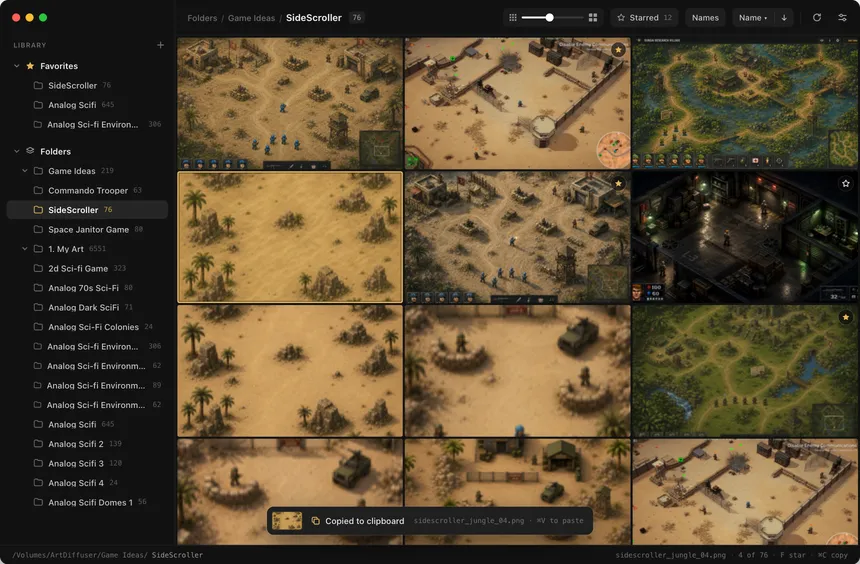
- ⌘Ccopy the selected images
- ⌘Rrefresh
The viewer
One image at full quality, with its size and format in a slim bar. The neighbours load ahead of you, so the arrow keys never wait. Choose a charcoal, black or neutral gray background.
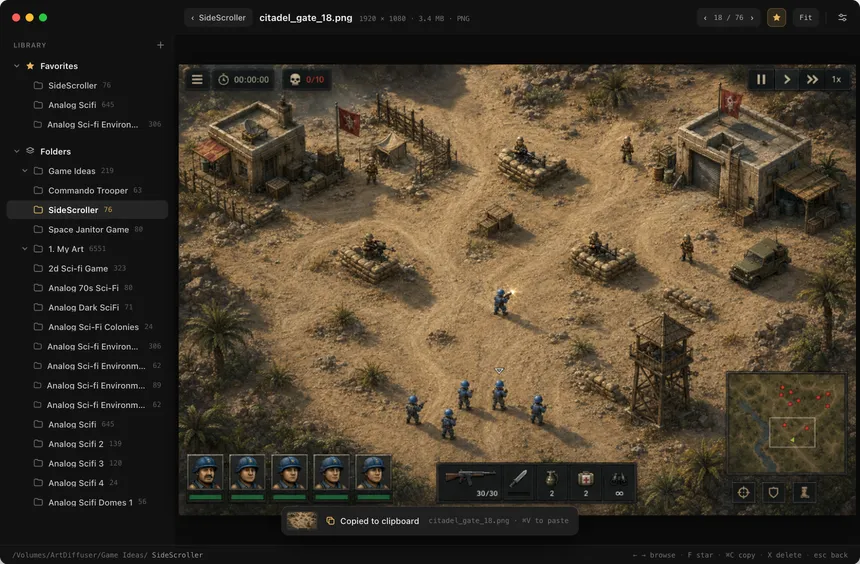
- Returnopen
- ←→browse
- escback to the same spot
Stars and favorites
Star the pictures you like, then show only those. Stars are kept with the folder, so they travel with it. Favorite folders sit at the top of the sidebar.
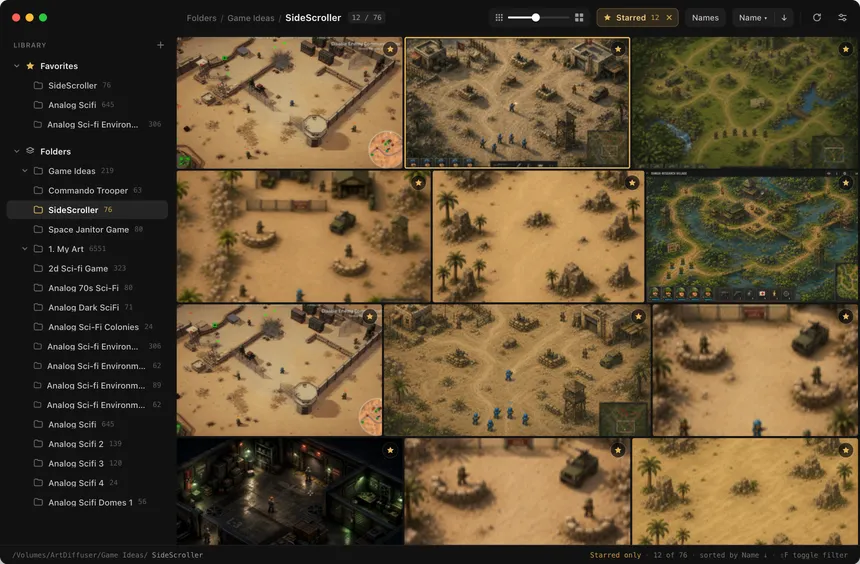
- Fstar
- ⇧Fstarred only
- ⌘Dfavorite a folder
Compare
Select two images and compare them. Flip swaps one for the other in the same spot. Slider puts them on top of each other with a divider you drag.
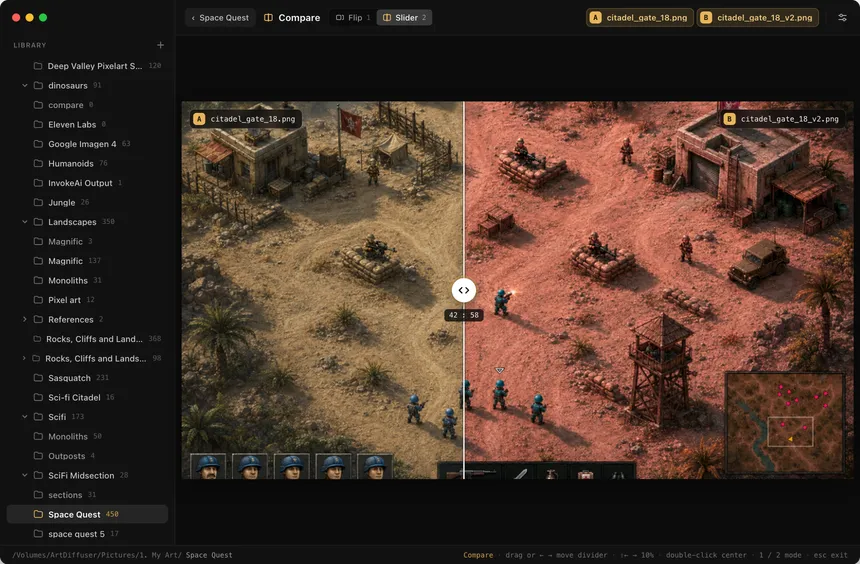
- ⌘click two images
- Ccompare
Split
Place vertical and horizontal lines on an image and Lightbox saves each piece as its own file, next to the original. You choose whether the original stays or goes to the Trash.
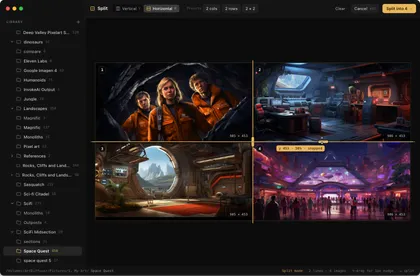
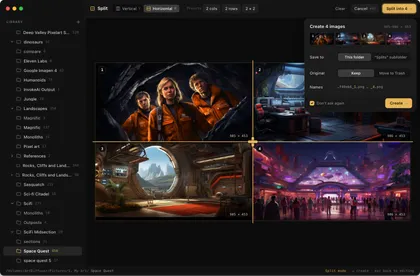
- Ssplit
- VHswitch direction
- ⇧no snapping
Tidying up
Delete images or a whole folder, rename a folder, or stop tracking one you no longer need in the sidebar. Every one of these asks first. Stop tracking removes only Lightbox's thumbnails, never your images.
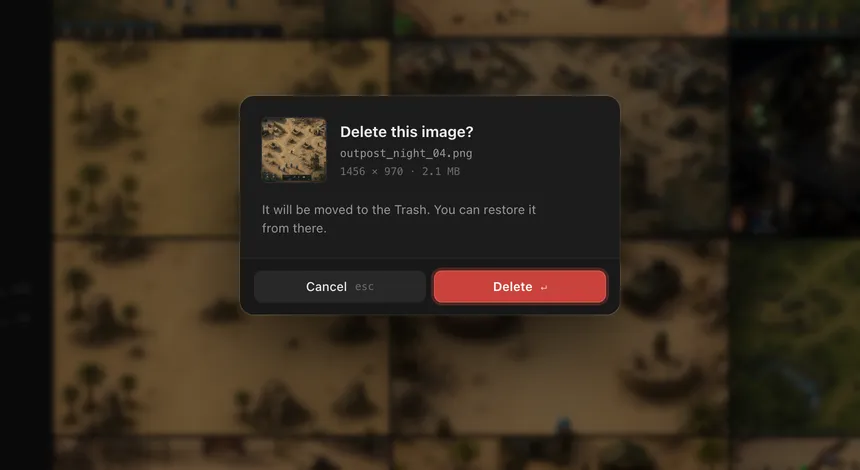
- Xdelete
- ⌘⌫stop tracking
- ⌘Zundo
Staying in step
Rename or move a folder in Finder and Lightbox follows it. If it can't, Locate lets you point to the new place. Folders on a drive that isn't connected stay in the sidebar, dimmed, until the drive is back. Returning to Lightbox checks the open folder for new images.
Settings
Two window styles, the viewer background, how much memory thumbnails may use, and whether Lightbox reopens your last folder. Maintenance lists every folder's thumbnails with their count and size.
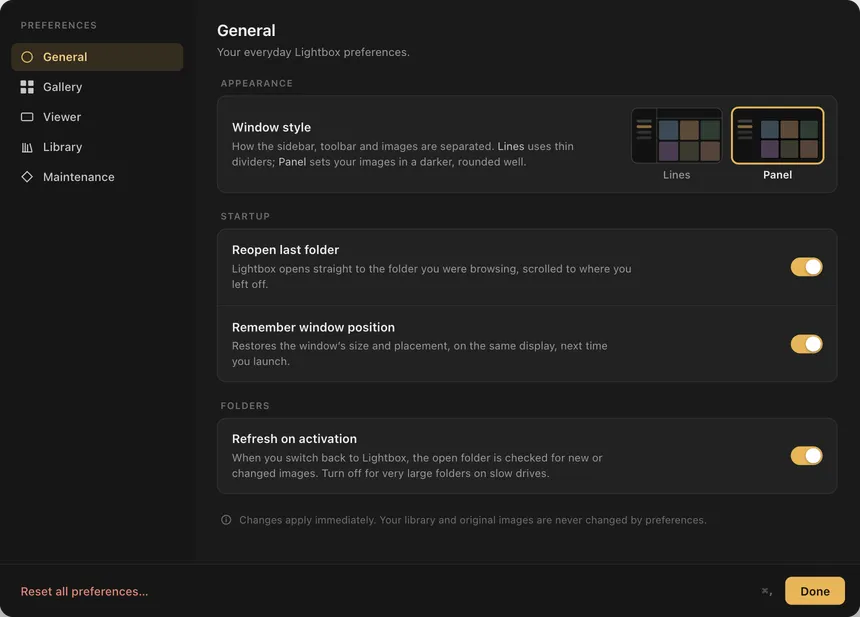
- ⌘,settings
Keyboard
| Library | |
|---|---|
| Track a folder | ⌘O |
| New group | ⇧⌘N |
| Add to or remove from favorites | ⌘D |
| Reveal in Finder | ⌥⌘R |
| Copy path | ⌥⌘C |
| Stop tracking | ⌘⌫ |
| Refresh | ⌘R |
| Images | |
| Open in the viewer | Return |
| Previous and next | ← → |
| Back to the gallery | esc |
| Star | F |
| Show starred only | ⇧F |
| Copy | ⌘C |
| Compare two selected images | C |
| Split | S |
| Delete | X |
| Undo | ⌘Z |
| App | |
| Settings | ⌘, |
Formats
JPEG, PNG, HEIC and HEIF, TIFF, GIF, BMP and WebP. Animated images show their first frame. An image that can't be read stays in its place with a note, and nothing stops.